
How do I practice active recall for language learning?
Use Scribe Origins Tutor mode to read a prompt, type the answer from memory, compare it with the card, and rate your original attempt. The on-screen tutor character reacts as you work, but the learning task is typed production recall rather than a voice conversation.
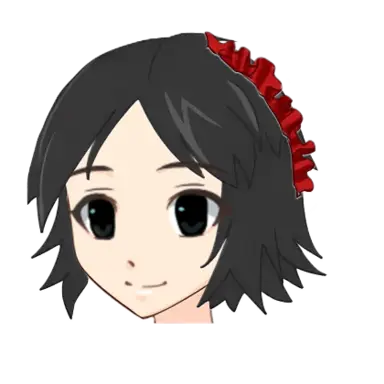
Most study modes in Scribe Origins show you a prompt and a set of answer choices, or flip a card so you can compare your memory against the correct side. Tutor mode removes the answer choices entirely. You read the prompt, type out what you believe the correct answer is, and Tutor mode checks your typed response against the card before revealing anything. It is a harder recall test than recognizing an answer among options because you have to produce the reading, meaning, or translation from memory rather than pick it out.
If you've used a tutoring app or a human tutor before, the shape will feel familiar: a question, a pause while you think, an attempt, and feedback. Scribe Origins builds that loop directly into the study queue, so it's testing the same characters, words, and sentences you'd otherwise review in Flashcards or a Scene Conversation — nothing about switching to Tutor mode changes what's due or starts a separate track.
Study
How do I practice active recall for language learning?
Open Tutor mode from the home screen or the study picker, and each round runs through the same five steps:
- Pick a language. Choose which language's queue you want to study. Tutor mode draws from the same due queue as Flashcards, Multiple Choice, and every arcade game, so whatever is due for review shows up here too.
- Read the prompt. The tutor presents a prompt — a character, a vocabulary word, or a sentence, depending on what's due — the same way it would appear on the front of a flashcard.
- Type your answer. Type your answer into the input box rather than tapping a choice, using your own recall instead of recognizing it from a list.
- Check your answer. Submit your typed answer and Tutor mode checks what you typed against the card's stored answer, then reveals the full card — correct reading, meaning, and any notes or stories attached to that item.
- Rate your recall. Rate the review again, hard, good, or easy, exactly like every other game mode, and that rating updates the item's one shared spaced-repetition record.
Because every step reads from and writes to that one shared record, there's no setup cost to trying Tutor mode: whatever's due today in your chosen language is immediately available for a typed round, with no separate deck or unlock step required.

Feedback
The on-screen tutor reacts to your performance
Tutor mode isn't just a text box with a check button — a tutor character stays on screen throughout the session and reacts based on how the round goes. Each tutor ships with seven distinct expressions, and the app's reaction logic picks between them dynamically depending on your recent run of answers, not a single fixed "correct" or "wrong" pose. A clean typed answer gets a different reaction than a near-miss (right idea, wrong reading) or a clear miss, so the feedback carries more signal than a flat right/wrong flash.
Over the course of a session, the tutor's reactions track how you're doing overall, giving Tutor mode a similar contextual-feedback feel to the reactions built into Scene Conversations, but tuned around typed recall instead of multiple-choice dialogue. It's a small touch, but it's the difference between a study tool that just logs pass/fail and one that feels like it's paying attention to how you're doing, not just whether the last answer was right.
Recall
Why can I recognize a word but not remember it?
Multiple-choice and flashcard modes test recognition: can you tell the right answer apart from a few wrong ones, or match your memory against a revealed card? Typing tests production: can you generate the answer with nothing to recognize it against? That's a meaningfully harder and, for many learners, more useful skill — it's closer to what you actually need when reading or speaking in the real world, where nobody hands you four multiple-choice options for what a word means.
That gap is normal: seeing a word supplies a powerful cue, while recalling it from a meaning or context gives you much less help. Start with a short typed target, attempt it before revealing anything, and note the first missing part — sound, spelling, meaning, or word order. Repeating that production step under spaced prompts gradually makes the word available without the recognition cue.
The table below lines up the three ways Scribe Origins tests the same item, so you can see where typed recall sits relative to the others:
| Mode | What it tests | Answer input | Best for |
|---|---|---|---|
| Flashcards | Recognition against a revealed card | Flip, then self-rate | New items, quick review passes |
| Multiple Choice | Recognition among distractor options | Tap a choice | Building initial familiarity |
| Tutor mode | Production from memory, checked by the app | Type your own answer | Items you sort-of know, testing real recall |
Because Tutor mode still writes to the same shared review record as every other game, you don't need a separate deck or a special unlock step to use it — anything currently due for review in your chosen language is fair game for a typed round, whether you last reviewed it as a flashcard, in a scene, or in an arcade game.
Scheduling
Rating still drives your review schedule
The four-level rating — again, hard, good, easy — behaves exactly the same in Tutor mode as it does everywhere else in Scribe Origins. Rating a card easy after a clean typed answer pushes it further into the future; rating it again after a miss brings it back sooner. Because the record is shared, a card you nail in Tutor mode today shows up on schedule in Flashcards or a Scene Conversation later, and vice versa — there's no separate "Tutor mode progress" to track.
A few habits make typed recall sessions more useful:
- Type the actual reading or meaning you'd say out loud, not a rough guess you know is wrong — a genuine near-miss still teaches the tutor's feedback something useful.
- Rate honestly. If you had to think hard before typing a correct answer, hard is more accurate than easy, and the schedule will bring the item back at a more useful interval.
- Mix Tutor mode into a normal review session rather than using it exclusively — recognition modes like Flashcards are still a fast way to clear a large due queue, and typed recall is best spent on items you want to test more rigorously.
- Don't worry about typos or accepted alternate spellings blocking your progress — the point of Tutor mode is testing whether you recalled the right idea, not grading exact string matching, so rate based on whether you actually knew it.
FAQ
Common questions about Tutor mode
What is tutor mode?
Tutor mode is a typed-answer study session in Scribe Origins. Instead of flipping a card or picking a multiple-choice option, you type out the reading, meaning, or translation yourself, and a tutor character on screen reacts to whether you got it right, close, or wrong. It draws from the same due queue and the same shared spaced-repetition record as every other game in the app.
When should I type answers instead of flipping cards?
Type answers in Tutor mode once flipping cards or picking multiple-choice options feels too easy for an item, or when you specifically want to test production recall rather than recognition. It suits reviewing characters and words you already sort-of know, and it's a rougher test that surfaces the difference between recognizing an answer on a revealed card and actually producing it from memory first.
How do I practice active recall for language learning?
Open Tutor mode, pick a language, and work through the queue: read the prompt, type your own answer instead of choosing from a list, submit it to check against the card, then rate your recall again, hard, good, or easy. The on-screen tutor reacts to your answer along the way, and the rating updates the same shared spaced-repetition record every other game reads, so nothing about practicing recall here creates a separate progress track to manage.
Practice session
How do I practice typed recall instead of guessing?
Commit to a typed answer before checking the card, even when it is incomplete. A blank feeling followed immediately by the reveal trains recognition; an attempted answer followed by comparison creates evidence about the exact sound, spelling, meaning, or structure that is missing.
- Read the prompt and name the task. Decide whether you need meaning, reading, spelling, a complete sentence, or an appropriate reply.
- Produce without searching. Give yourself a short, consistent pause. Write a partial answer rather than opening another resource immediately.
- Compare precisely. Mark the first difference that changes meaning, grammar, pronunciation, or register.
- Repair once. Type or say the corrected answer without copying it word by word.
- Rate the original recall. The rating describes the first attempt, not the corrected repetition.
- Reuse the pattern. Change one detail and produce a second example.
A typed answer increases retrieval difficulty because visible choices cannot prompt you. Use it after basic recognition is established, or use shorter prompts when the full production task is still too large.
Practice design
What should I practice in Scribe Origins Tutor mode?
Choose a bounded target from your due queue: a small set of meanings, readings, spellings, or translations that you can type and check. A clear target makes each result useful and keeps the session focused on production rather than recognition.
Recall a meaning
Read the word or character, type the meaning you remember, and submit it before checking the stored answer. This direction tests whether you can connect the target-language form to its meaning without visible choices.
Produce the target-language form
Read an English meaning, then type the word, reading, or translation from memory. This reverse direction is usually harder because recognition cannot supply the missing form.
Work with a manageable queue
Use Tutor mode for due items you want to test rigorously, then switch to another game when the typed effort stops being useful. The same shared progress record follows the item between modes.
Each structure supports active recall because the answer stays hidden until you have attempted to retrieve it.
Check the answer
How can I check a Tutor mode answer?
Compare your typed response with the stored card answer, then check whether the expected meaning, reading, spelling, language variety, and register match the task. Treat the card as a prompt for review; use the relevant guide or an established reference when a language rule needs confirmation.
- Compare your response with the revealed answer and identify the smallest meaningful difference.
- Look up the key form in the language guide or an established reference.
- Search the Dictionary for the word and compare examples.
- For a regional or social judgment, ask a focused community question with context.
- Use qualified review for legal, medical, financial, safety-critical, or high-stakes public communication.
What if my answer is valid but differs from the card?
Rate the recall honestly rather than treating every wording difference as wrong. If the card expects a particular reading, meaning, or register, check that distinction in the Dictionary or the relevant language guide before deciding whether your alternative expresses the same answer.
Error log
How do I turn tutor mistakes into a study plan?
Keep a short error log organized by cause rather than by date. Useful categories are missing vocabulary, sound or spelling, word order, agreement or inflection, particle or preposition, register, and misunderstanding of the situation. One item can include the original attempt, corrected form, deciding rule, and one new example.
| Error | Repair | Next mode |
|---|---|---|
| Unknown word | Confirm the dictionary entry and save selectively | Flashcard plus sentence example |
| Known word not produced | Use a production-facing prompt | Tutor or spoken recall |
| Grammar choice wrong | Write a two-form contrast | Grammar exercise in mixed order |
| Reply does not fit situation | Name the speaker intention and register | Conversation scene |
| Same mistake repeats | Repair prerequisite or prompt | Delayed spaced review |
Review the log weekly and choose the most frequent cause for the next practice session. Do not turn every correction into a new card; create review material only for patterns or words that matter and recur.
Progression
When should I make Tutor mode harder?
Increase difficulty when answers are correct before feedback and remain correct under a changed cue. Remove translation support, require a complete typed sentence, shorten planning time, or reverse the prompt direction. Change one dimension at a time so a new failure remains diagnosable.
The full active-recall cycle is: define a bounded typed task, answer first, compare with the card, repair one error, and test the same item later under a new cue.
Tutor learning questions
Can Tutor mode correct my grammar?
Tutor mode checks typed recall against the stored answer for the current card; it is not an open-ended grammar-correction service. Use a grammar guide, dictionary, or focused community question when you need to understand why a different sentence may also be correct.
For public, professional, legal, medical, or safety-critical communication, obtain qualified human review appropriate to the context.
Can I use Tutor mode for speaking practice?
Tutor mode's input is typed, not voice-based. You can say an answer aloud before typing it, then compare the stored answer, but use Conversations or another speaking activity when pronunciation and interactive dialogue are the main goal.
Repeating the typed task with a changed cue shows whether you learned the pattern or copied one answer.
What should a beginner practice in Tutor mode?
Begin with familiar words and short answers whose meanings or readings you already recognize. Work one prompt at a time, type before revealing, and move back to a recognition mode if nearly every answer is a guess.
Small tasks create clear success conditions and make the recognition-to-recall gap easier to repair.
Should I repair every typed mistake?
Correct the first difference that changes the required meaning, reading, or spelling, then type the answer once without copying. After the session, choose one or two recurring errors for deliberate practice rather than turning every typo into a new card.
A short pattern you can explain and repair is more useful than a long correction list.
Protect retrieval
How do I stop myself from revealing the answer too quickly?
Use a short, consistent thinking window and type a partial attempt before checking. Reveal the card only after submission. This keeps the exercise from turning active recall into guided recognition.
If the task is too difficult, request a smaller prompt rather than the complete answer. A first sound, sentence frame, or two-form choice can preserve productive effort. Record when hints were used so the final rating reflects the unaided attempt.
Measure improvement
How can I measure progress in Tutor mode?
Repeat a comparable typed task each week and record accuracy, how much you produced before revealing the card, and which errors recur. Progress appears as fewer prompts, faster retrieval, cleaner spelling or readings, and correct answers under different cue directions.
How was this Tutor Mode guide checked?
Typed-answer controls, on-screen character reactions, and shared review flow were checked against the current Scribe Origins application. Language rules and factual claims should be checked against the linked grammar references or another trusted source.
- Scribe Origins editorial standards — how product claims, examples, sources, and corrections are handled.